Selecting a proper display module is an essential stage for creating industrial equipment, smart terminals, and embedded devices. 10.1 Inch LCD Display is one of the most popular models due to its rational compromise between screen size, readability, and available space. In comparison with smaller models, this display provides sufficient area for placing various data, pictures and interface controls without occupying significant mounting area.
But at the same time, choosing a good display goes beyond only considering the screen size. Such parameters as resolution, brightness, touch functionality, interface support, and conditions of operation influence the final result. In this article, we will try to outline the major points to consider when choosing a 10.1-inch LCD display.
The Basics of 10.1-inch LCD Display
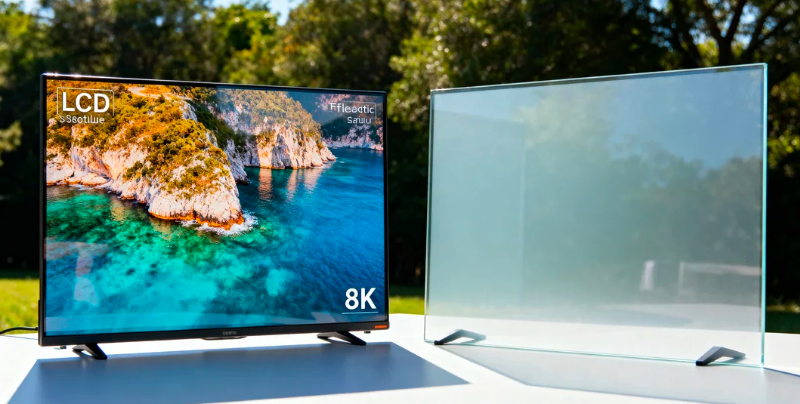
10.1 Inch LCD Display is a display module based on liquid crystal display technology and provides image, text, and interface information. The name of the display indicates the diagonal size of the display area, which is about 25.4 cm.
This size is often chosen for applications where more information is needed than a 7-inch model could accommodate, but there is no place for bigger panels. Common applications include industrial control panels, medical devices, smart home systems, POS terminals, and automotive equipment.
Components of a 10.1 Inch LCD Display
| Component |
Function |
| LCD Panel |
Displays images and text |
| LED Backlight |
Provides screen brightness |
| Driver IC |
Controls display signals |
| Touch Panel |
Enables interactive operation |
| Interface Connector |
Connects with the main control system |
The structure of each element influences the image quality, power usage, and compatibility with the finished product.
Key Specifications for Buying a 10.1Inch LCD Display
Selecting a display based solely on its size may result in compatibility problems. When buying, some specifications should be considered.
Resolution and Display Quality
Resolution is the number of pixels that the display can show at once. Possible resolutions of the 10.1 Inch LCD Display are: Resolution determines how much detail the screen can show. Common resolutions for a 10.1 Inch LCD Display include:
| Resolution |
Suitable Applications |
| 1024 × 600 |
Basic control interfaces and simple terminals |
| 1280 × 800 |
Industrial equipment, HMI systems, smart devices |
| 1920 × 1200 |
High-detail images, medical and professional equipment |
Higher resolution leads to more detailed pictures and text, but it requires more power from the control system. However, the optimal choice will depend on the kind of information shown.
For instance, the panel of the machinery control with simple buttons and parameters can use 1024 x 600 resolution, whereas equipment with graphs, images, or a complicated interface can use 1280 x 800 resolution or even higher.
Screen Brightness and Viewing Angle
The brightness of the screen impacts the visibility of the information provided on it. Indoors, devices have screens with approximately 250-400 nits, but outdoors, devices need more – at least 700 nits to remain visible in case of bright lighting.
Viewing angle is an important characteristic of LCD panels too. Screens based on IPS panels can offer a wider viewing angle, reaching approximately 170° horizontally and vertically.
Touch Function and Interface Compatibility
Many modern devices require touch operation. The two common touch technologies are:
Capacitive Touch Screen
- Supports multi-touch operation
- Provides smoother user interaction
- Commonly used in smart terminals and consumer devices
Resistive Touch Screen
- Works with gloves or a stylus
- More suitable for industrial environments
- Offers reliable operation in specific applications
Interface selection is also important. Common connection options include LVDS, RGB, MIPI, HDMI, and USB. The display interface must match the main control board to avoid additional hardware modifications.
How to Choose the Right 10.1 Inch LCD Display for Your Application
Different industries have different requirements. A display designed for office equipment may not perform well in industrial environments.
Industrial Equipment Applications
Industrial machines usually require displays that can operate continuously for long periods. A suitable 10.1 Inch LCD Display for industrial use should consider:
- Stable operation for 24/7 working conditions
- Wide operating temperature range
- Strong resistance to vibration and interference
- Long backlight lifespan
For instance, manufacturing automation machines can work in dusty conditions with temperature variation and frequent usage. Here, the reliability of the system becomes more critical than selecting a low-cost display.
Embedded Systems and Smart Devices
Embedded products have small spaces to be installed; thus, the size of the display and its power consumption become critical.
Smart Control Panels, Internet-of-Things (IoT), Automation Terminals, etc., concentrate on:
- Compact structure design
- Low power consumption
- Easy integration
- Compatible communication interfaces
A properly selected display can simplify product development and improve user operation.
Medical and Commercial Equipment
Medical and commercial devices require clear image presentation and stable performance.
For these applications, buyers often pay attention to:
- Accurate color display
- Easy cleaning surface design
- Reliable touch response
- Long service life
A suitable display helps users read information faster and operate equipment more efficiently.
10.1 Inch LCD Display vs Other Display Sizes
Choosing the right screen size requires balancing visibility, installation space, and cost.
| Display Size |
Advantages |
Common Uses |
| 7 Inch |
Compact and cost-effective |
Small control panels, portable devices |
| 10.1 Inch |
Good balance between size and visibility |
Industrial systems, smart terminals |
| 12 Inch and above |
Larger viewing area |
Complex monitoring systems |
As compared to a 7-inch display, a 10.1-inch display offers a greater surface to view the menu, data sheets, and controls.
A 10.1-inch display is smaller as compared to the bigger screens and therefore occupies less space. It also uses less power as compared to other larger screens.
Important factors in choosing a 10.1Inch LCD Display Manufacturer
Product specifications are important, but supplier capability also affects project success.
Quality Control and Testing
A reliable supplier should have quality inspection procedures, including:
- Brightness and color testing
- Touch function testing
- Temperature testing
- Aging tests
- Signal compatibility checks
These processes help ensure stable performance during long-term use.
Customization Capability
Different projects may require customized display solutions. Common customization options include:
- Customized interfaces
- Touchscreen integration
- Structural adjustments
- Cable and connector modifications
For OEM and industrial projects, suppliers with customization experience can reduce development time and improve product compatibility.
Conclusion
Selecting a suitable display requires more than checking the screen size. Resolution, brightness, interface compatibility, touch function, and working environment all influence whether the display can meet your product requirements.
An appropriate 10.1 Inch LCD Display will enable accurate information display, stable performance, and an efficient user interface for industrial and commercial machinery.
FAQ
Q1: Which resolutions are usually supported by a 10.1 Inch LCD Display?
The popular resolutions are 1024×600 and 1280×800. There are higher resolutions such as 1920×1200 as well.
Q2: Can a 10.1 Inch LCD Display function with a touchscreen interface?
Yes. Many models can be equipped with capacitive or resistive touch panels according to different application requirements.
Q3: How long can an industrial LCD display work?
The lifespan depends on product design and usage conditions. Many industrial LCD modules are designed for approximately 30,000–50,000 hours of operation.
Q4: Which things should I verify before buying an LCD screen?
Before making a purchase, one should check the screen size, resolution, brightness, connection interface, touch requirements, operating temperature, and supplier capabilities.
0